
本页目录
在页面中使用不同的字体可以让你的网页与众不同。一起来看看怎么在 css 中引入多个字体并使用吧。
- 原文来源:博客园
- **字体相关:
**菜鸟学院
注意字体版权
首先,我们可以通过以下代码来引入字体文件
/* 定义字体 */@font-face{ font-family: "悦圆常规"; src: url("./font/悦圆常规.otf"); }其中 font-family 就是之后使用时候的字体名称了,如此一来 CSS 中就可以直接使用本地的字体了,如下:
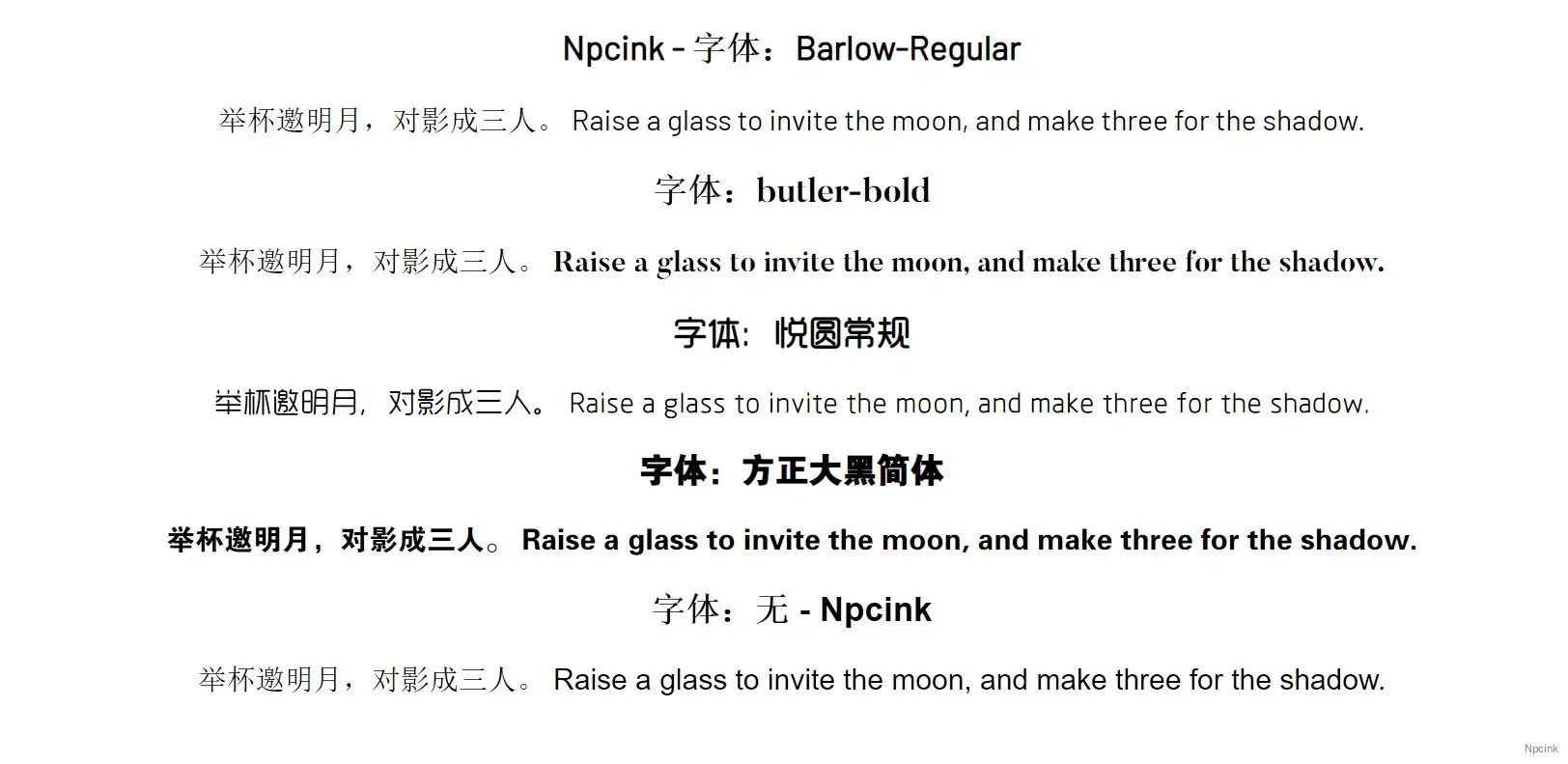
font-family: "悦圆常规";以下是一个简单的代码演示,实际效果见页底
HTML
<div class="box"> <div class="box-one"> <h3>字体:Barlow-Regular</h3> 举杯邀明月,对影成三人。 Raise a glass to invite the moon, and make three for the shadow. </div> <div class="box-two"> <h3>字体:butler-bold</h3> 举杯邀明月,对影成三人。 Raise a glass to invite the moon, and make three for the shadow. </div> <div class="box-three"> <h3>字体:悦圆常规</h3> 举杯邀明月,对影成三人。 Raise a glass to invite the moon, and make three for the shadow. </div> <div class="box-fore"> <h3>字体:方正大黑简体</h3> 举杯邀明月,对影成三人。 Raise a glass to invite the moon, and make three for the shadow. </div> <h3>字体:无</h3> 举杯邀明月,对影成三人。 Raise a glass to invite the moon, and make three for the shadow.</div>CSS
/* *引入字体 */ @font-face{ font-family: "Barlow-Regular"; src: url("./font/Barlow-Regular.ttf"); }
@font-face{ font-family: "butler-bold"; src: url("./font/butler-bold.ttf");}
@font-face{ font-family: "悦圆常规"; src: url("./font/悦圆常规.otf"); }
@font-face{ font-family: "方正大黑简体"; src: url("./font/方正大黑简体.ttf");}
/* *第一个盒子 */ .box-one { font-family: "Barlow-Regular"; }
.box-two { font-family: "butler-bold"; }
.box-three { font-family: "悦圆常规"; }
.box-fore { font-family: "方正大黑简体"; }当然,在实际运用中当然没这么简单,在真实的环境中一般是这样的:
@font-face{ font-family:Avenir Next; src:url(../fonts/avenir-next/avenir-next-regular.eot); src:url(../fonts/avenir-next/avenir-next-regular.eot?#iefix) format("embedded-opentype"), url(../fonts/avenir-next/avenir-next-regular.woff2) format("woff2"), url(../fonts/avenir-next/avenir-next-regular.woff) format("woff"), url(../fonts/avenir-next/avenir-next-regular.ttf) format("truetype"), url(../fonts/avenir-next/avenir-next-regular.svg#svgFontName) format("svg"); font-weight:400; font-style:normal; }虽然都是字体文件,但是不同的格式在不同的环境下都有他独特的作用。